
Put your doctors’ queue on every patient’s phone.
Stop the crowd at the counter and the paper register. Patients see when the doctor sits, book a token, and watch the queue move. You see who is coming before they arrive.
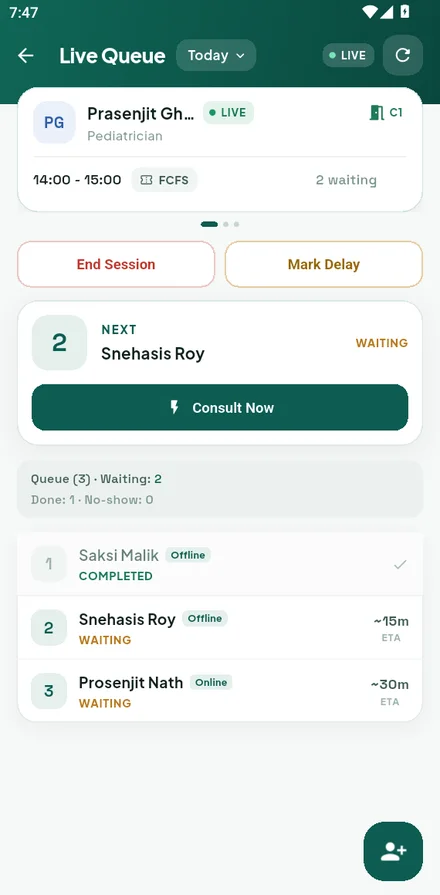
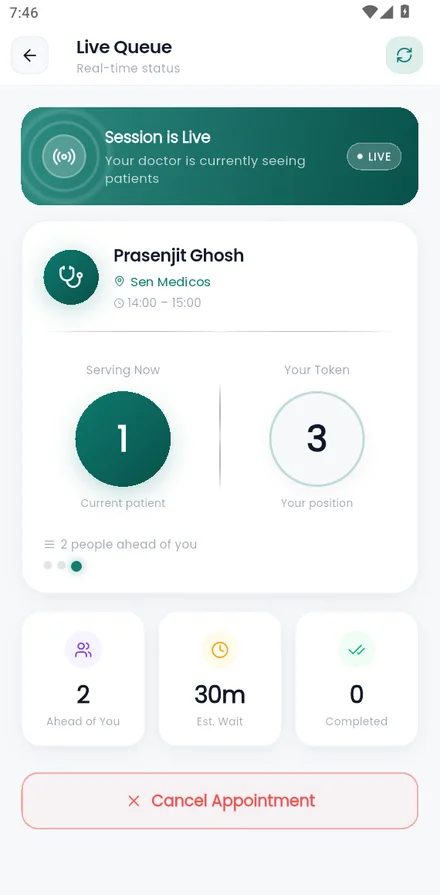
Screens from the IdioCare shop app (front) and patient app (behind). Demo data.
The register works until the room fills up.
With a paper register
- Patients crowd the shop to find out if the doctor has arrived
- Your staff answer the same phone call all evening
- A delayed doctor means a waiting room full of unhappy people
- You have no record of how many patients each doctor sees
With IdioCare
- Patients check the doctor’s timing and queue from home
- Tokens are booked in the app or on WhatsApp, not at your counter
- A delay is announced to booked patients automatically
- Every session is recorded, so you can see the whole month
Live in your shop in a day.
You do not set anything up alone. A field agent registers your shop, lists your doctors and sets their timings with you.
Ask for a callback
Leave your name, number and area. An agent from your zone calls you.
Agent registers your shop
Shop details, doctors and their weekly sessions are entered in one visit.
Put up your QR poster
Patients scan it to open your shop on WhatsApp and book a token.
Run each session
Open the session, call the next token, and the queue updates for everyone.
The queue, run from one screen.
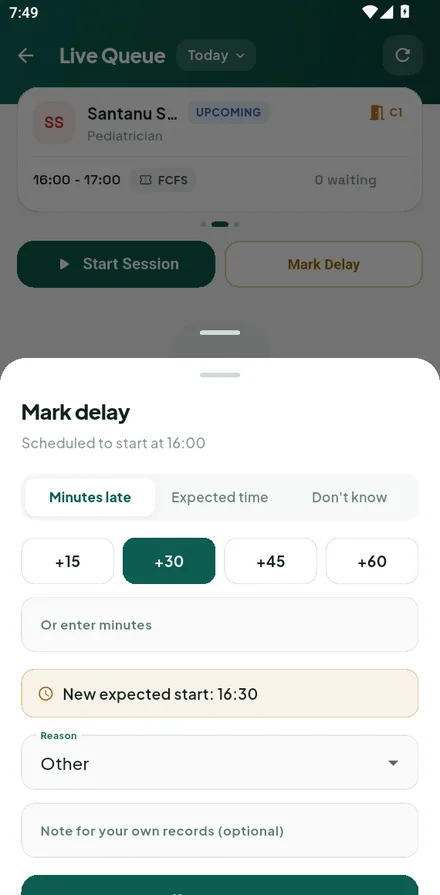
These are the real screens your staff use every session.
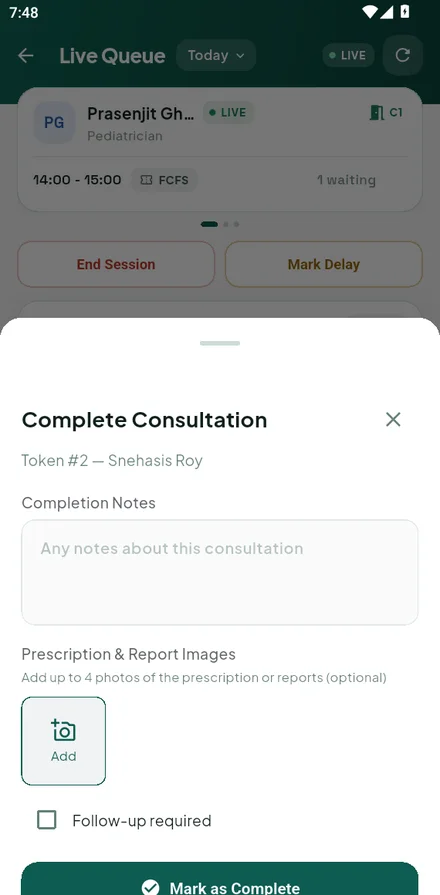
Everything a chamber needs, nothing it doesn’t.
Live queue
Call the next token with one tap. Patients see their turn move on their own phone.
WhatsApp booking
Patients book by chatting with your shop’s number. No app download needed to get a token.
Waiting-room TV
Pair a TV with a short code. It shows the token being served and announces the next one aloud.
Doctor delays handled
Mark a doctor late and booked patients are told. Sessions that run past time close on their own.
Weekly and monthly sessions
Set a doctor’s timings once. Sessions are created ahead of time and keep rolling.
Records and billing
Served bookings are recorded when a session closes, so month-end figures match what happened.
Start free. Go Premium when you want the queue.
Your shop is listed for patients on both plans. Premium is what lets you run the live queue.
Free
Be found by patients near you.
- Shop and doctors visible to patients
- Doctor timings and session times shown
- Patients get a token and session time
- A limited number of doctor and session edits each month
- No live queue for patients
- Shop staff cannot run the queue in the app
Premium Full queue
Run the chamber from your phone.
- Live queue and call-next for your staff
- Patients watch their turn in real time
- Waiting-room TV display
- Unlimited doctor and session changes
- Confirm or decline bookings that need your approval
- Upgrade yourself from the app, any time
Your agent explains the Premium fee and any trial for your shop when they call.
Know when the doctor sits. Skip the waiting.
Find a doctor near you, see the session timings, and book a token before you leave home.
- 1Search doctors and medicine shops near you
- 2Book a token in the IdioCare app or on WhatsApp
- 3Follow the queue and arrive when your turn is close
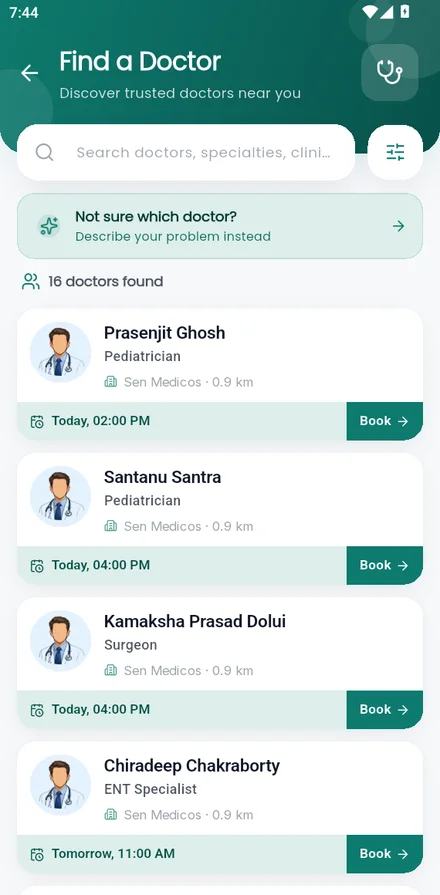
The patient app: find a doctor, book, then follow the queue. Demo data.
Before you decide.
Do my patients need a smartphone?
Patients with a phone can book on WhatsApp without installing anything. Your staff can also add walk-in patients to the queue themselves.
Do I need to buy any equipment?
No. You run the queue from your phone. The waiting-room TV is optional and works with a screen you already have.
What if a doctor is late or cancels?
Mark the delay in the app. Patients with a booking are told. If a session is moved or cancelled, booked patients are messaged on WhatsApp and in the app.
Who sets up my doctors and timings?
Your field agent does it with you during the first visit. After that you can change doctors and sessions yourself.
What does it cost?
Listing your shop is free. Premium has a monthly fee and your agent will go through it with you, including any trial period.
Are my patients’ details private?
The waiting-room TV shows a patient’s name only if you switch that on. Otherwise it shows token numbers.
Tell us where your shop is. An agent will call you.
It takes a minute. We call within one working day, answer your questions and book a visit if you want to go ahead.